
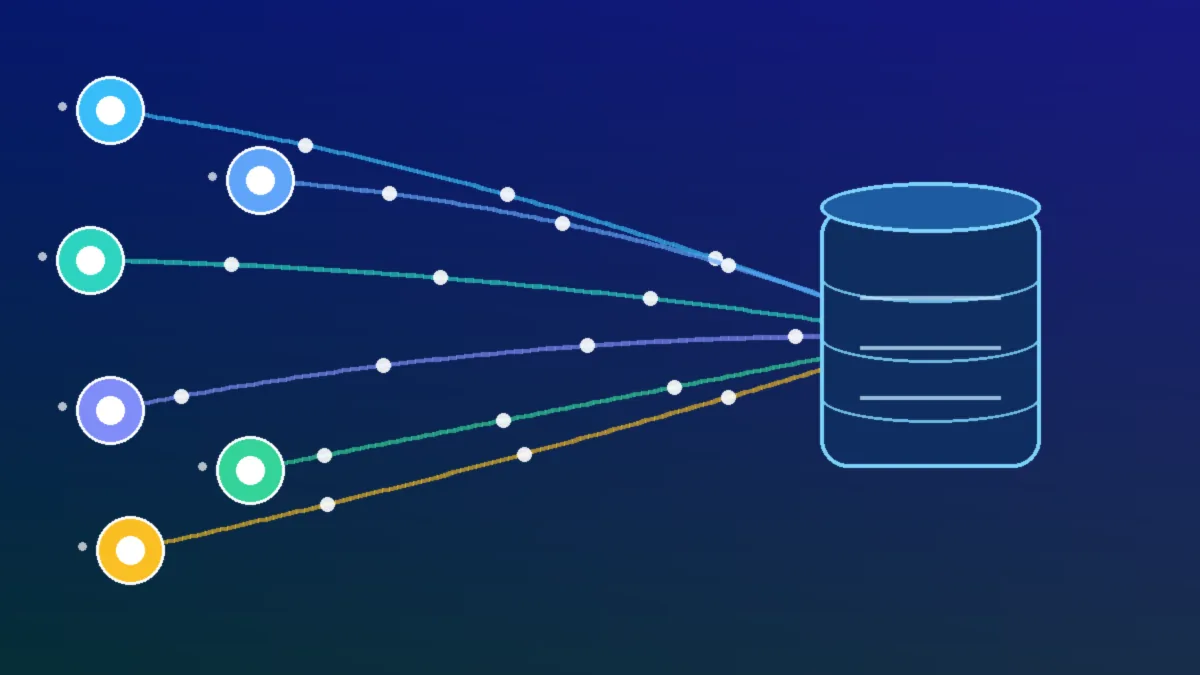
Every company runs on data integration, whether it admits it or not. Sales records live in a CRM. Orders sit in a shop system. Invoices wait inside finance software. Meanwhile, support tickets pile up in a completely separate tool.
Each system tells part of the story. None of them tells the whole story alone. Therefore, teams export spreadsheets, copy figures, and argue about totals. Data integration exists to end that daily scramble.
Put simply, data integration moves data from many sources into a trusted, usable form. It also keeps that data fresh, consistent, and ready for decisions. This guide explains the main patterns, the trade-offs, and the practical choices.
Why does data end up in silos?
Data silos rarely start as a mistake. Usually, each team simply buys the best tool for its own job. Marketing picks one platform. Finance picks another. Operations then adds a third.
Over time, those sensible choices create a tangled estate. Each tool stores names, dates, and codes in its own format. For example, one system calls a buyer a customer, while another calls the same person an account.
The cost shows up in ordinary work. Reports take days instead of minutes. Two dashboards show two different revenue figures. Consequently, leaders stop trusting the numbers altogether. That loss of trust is the real price of fragmentation.
Many firms treat this as part of a wider change programme. Indeed, data work sits at the heart of digital transformation in business and marketing, because joined-up data changes how teams plan and act.
What does modern data integration actually do?
Modern data integration does four jobs at once. First, it connects to sources and extracts data reliably. Second, it reshapes that data into agreed formats and definitions. Third, it loads the result where people and systems can use it.
The fourth job is control. A good platform logs every run and flags failures early. It also tracks where each field came from. In short, integration is plumbing plus accountability.
Modern practice mixes batch jobs, streams, and live API calls. Teams choose the pattern per use case, not per habit.
That mix matters for IT planning too. For instance, a clear role for data in IT strategy helps leaders fund integration as shared infrastructure, rather than as a side project.
How does batch ETL work?
ETL stands for extract, transform, and load. First, a job pulls data from source systems on a schedule. Next, it cleans and reshapes the data in a staging area. Finally, it loads the finished result into a warehouse or database.
Batch ETL suits steady, predictable workloads. Month-end finance is a classic case. Payroll reporting is another. In these cases, data can safely arrive once a day.
The pattern has real strengths. Transformations happen before loading, so bad records can be rejected early. Besides, the logic sits in one place, which makes audits easier.
Still, batch work has clear limits. Data is only as fresh as the last run. A failure overnight can leave dashboards empty by morning. Moreover, large batches strain source systems during busy windows.
Why did ELT and the cloud data warehouse change the model?
ELT simply reverses the last two ETL steps. Data loads first, in raw form, into the target platform. Transformation happens afterwards, inside that platform. That small reversal changed the economics of integration.
The cloud data warehouse made ELT practical. Cloud platforms separate storage from compute, so both can scale independently. As a result, loading raw data became cheap and fast. Analysts could then transform only what they needed, when they needed it.
This shift brought several gains. Raw data stays available for new questions later. Transformation logic lives in version-controlled SQL models. Likewise, teams can rebuild a report without re-extracting anything. History is preserved, not overwritten by each run.
The ETL vs ELT choice is rarely absolute, though. Regulated data may need masking before it lands anywhere. Heavy filtering may also cut volume before transfer. In contrast, exploratory analytics usually fits ELT better. Most mature stacks use both patterns side by side.
Firms weighing this choice often need outside perspective. In practice, optimising data and marketing strategies for IT firms shows how warehouse data feeds campaigns, reporting, and product decisions at once.
What makes real-time data integration different?
Real-time data integration moves data as events happen. A payment, a click, or a sensor reading triggers an immediate update. Consequently, downstream systems work with data that is seconds old, not hours old.
Some decisions genuinely need that speed. Fraud checks must happen during a transaction. Stock levels must update before another sale is promised. Similarly, delivery tracking loses value when it arrives late.
Other decisions do not need speed at all. Board reporting can wait until morning. Long-term trend analysis can wait even longer. Therefore, real-time design should follow the decision, not the fashion.
How does change data capture work?
Change data capture, or CDC, is the engine behind much real-time work. Databases already record every change in a transaction log. CDC tools read that log and stream each insert, update, and delete onwards.
This approach is gentle on source systems. The tool does not rescan whole tables. Instead, it forwards only what changed. Deletes are captured properly too, which timestamp polling often misses.
CDC does need care in operation. Log retention settings can drop changes during long outages. Nevertheless, with monitoring and replay, CDC gives low-latency sync with modest overhead.
When do streaming data pipelines make sense?
Streaming data pipelines process data continuously, record by record. They suit clickstreams, application events, and machine telemetry. Each event flows through enrichment and checks while it moves.
Streaming brings its own hard problems. Events can arrive late or out of order. Duplicates happen after retries. Hence, pipelines need idempotent writes and clear event timestamps. Teams must also decide how to correct records that arrived wrong.
A hybrid design often works best. Streams handle the urgent, high-volume flows. Batches handle the slow, heavy reconciliation. In fact, many warehouses now receive both, then blend them in models.
How do APIs and webhooks connect applications?
API integration connects applications through published interfaces. One system requests data, and another returns it in a structured format. This pattern suits live lookups, like checking a price or a customer record.
Webhooks flip that model around. The source system pushes a notice when something changes. For example, a payment provider can notify your shop the moment a payment clears. Your system then reacts without constant polling.
Both patterns depend on contracts. Field names, formats, and error behaviour must be agreed and versioned. Otherwise, a small change by one vendor breaks many flows. Good teams test those contracts automatically.
API-led design adds useful structure. System APIs expose each core record once. Process APIs then combine records into business-ready views. Experience APIs shape those views for each channel. As a result, reuse grows and point-to-point links shrink.
That reuse mindset travels well across a business. Indeed, the same connected thinking helps when scaling IT growth with a clear executive guide, because shared services support each new team and market.
What does an iPaaS platform add?
An iPaaS platform provides integration as a managed cloud service. Vendors supply prebuilt data connectors, mapping tools, and monitoring dashboards. Teams assemble flows with configuration and low-code steps, rather than hand-writing every link.
This model lowers the starting cost. Common SaaS tools connect in days, not months. Upgrades and connector fixes sit with the vendor. Meanwhile, central dashboards show every flow in one place.
There are trade-offs to weigh honestly. Subscription costs grow with volume and flow count. Deep custom logic can feel cramped inside a low-code canvas. Besides, vendor lock-in becomes a real concern over time.
An iPaaS platform fits best for standard application integration. It shines with CRM, finance, HR, and commerce syncs. For heavy analytics pipelines, a warehouse-centred stack may fit better. Many companies run both, each for its strength.
What is data virtualization, and when does it help?
Data virtualization leaves data where it sits. Instead of copying records, it presents a live, unified view across sources. Queries run against that view, and the platform fetches data on demand.
This approach helps in specific situations. It suits early exploration before any pipeline is built. It also suits data that cannot be copied for legal reasons. Likewise, it can bridge systems during a migration.
Virtualization has limits, though. Live queries depend on source speed and availability. Therefore, most teams virtualize selectively and materialize the heavy, repeated workloads.
How do the main integration patterns compare?
No single pattern wins everywhere. The right choice depends on freshness, volume, and purpose. The table below summarises the practical differences.
| Pattern | How data moves | Freshness | Best fit |
|---|---|---|---|
| Batch ETL | Scheduled jobs, transformed before loading | Hours to a day | Finance, payroll, stable reporting |
| ELT | Raw data loaded, then transformed in the warehouse | Minutes to hours | Analytics and flexible modelling |
| CDC streaming | Log changes streamed continuously | Seconds to minutes | Sync, fraud checks, live dashboards |
| API and webhooks | Live requests and event notices | Immediate | App-to-app actions and lookups |
| iPaaS | Managed flows between SaaS tools | Minutes, often near live | Standard business app sync |
| Data virtualization | No copy, live unified view | Live at query time | Exploration and restricted data |
| Reverse ETL | Warehouse data pushed back into apps | Minutes to hours | Sales, support, and marketing tools |
Read the table as a starting point, not a verdict. Real stacks combine rows freely. For instance, CDC can feed an ELT warehouse, while reverse flows serve the sales team.
Keeping pace with these combinations takes deliberate learning. After all, staying ahead with cutting-edge technology information is easier when the core patterns are already clear.
Why do data quality and governance decide success?
Integration moves data, but data quality decides whether anyone trusts it. A pipeline can run perfectly and still deliver wrong answers. Duplicates, missing values, and stale records all pass silently if nobody checks.
Strong teams build checks into every flow. They test for completeness, uniqueness, and valid ranges. They also quarantine bad records instead of loading them blindly. Consequently, errors surface near their source, where fixes are cheap.
Governance adds the rules around the data. Who owns each dataset? Who may see personal fields? How long should records be kept? Clear answers prevent both breaches and confusion.
Data governance and lineage work together here. Lineage records where data came from and how it changed. When a figure looks wrong, lineage shows the exact path to inspect. Auditors love that trail, and engineers rely on it too.
Ownership matters as much as tooling. Each critical dataset needs a named owner and a definition everyone shares. Without that agreement, even perfect pipelines produce disputed numbers. In short, governance turns movement into trust.
What happens when schema drift breaks a pipeline?
Schema drift happens when a source changes its shape without warning. A vendor renames a field, or a team adds a new column. Suddenly, a downstream model fails or, worse, fills a column with nulls.
Good platforms detect drift early. They compare incoming structure against the expected contract. Then they alert owners and pause or adapt the flow. Some tools quarantine new fields for review instead of dropping them.
Prevention beats repair, of course. Source teams should announce changes in advance. Contracts and automated tests should guard critical fields. Nevertheless, drift will happen, so detection and graceful handling are essential.
What is reverse ETL, and why did it appear?
Reverse ETL sends warehouse data back into operational tools. Analysts model a churn score or a lead rating centrally. Then the flow pushes that result into the CRM, where sales staff actually work.
This closes a long-standing loop. Warehouses used to be one-way destinations for reporting. Meanwhile, front-line teams kept using their own stale extracts. Reverse flows give those teams the governed, modelled data instead.
Use it with restraint, though. Operational tools are not warehouses. Pushing huge tables into a CRM creates clutter and cost. Therefore, sync only the fields each team needs, at a sensible cadence.
Commerce shows the value clearly. For example, mastering e-commerce distribution and getting products to customers depends on stock, order, and customer data staying aligned across every system.
How did AI and machine learning change integration needs?
AI workloads are hungry and unforgiving. Models need large, fresh, and well-labelled training data. They also need the same features in production that they saw in training. Integration pipelines now carry that responsibility.
Feature consistency is the first new demand. If training used one definition of a customer, serving must use the same one. Otherwise, model quality drops in ways that are hard to spot. Shared transformation logic prevents that silent drift.
Unstructured data is the second demand. Documents, images, and transcripts now feed search and assistants. Pipelines must extract text, attach metadata, and respect permissions. That work goes far beyond moving tidy rows.
Freshness is the third demand. Retrieval systems need current documents, not last month’s copies. Embeddings must refresh when sources change. As a result, event-driven integration has become part of AI architecture, not an afterthought.
AI also helps run integration itself. Tools can suggest field mappings and spot anomalies. Still, humans must approve logic that touches money or personal data.
Technology partners increasingly bundle these skills together. Indeed, technology solutions that transform businesses with innovation now routinely include data pipelines, cloud platforms, and applied AI in one offer.
What should a mid-size company build first?
Start with the decisions, not the tools. List the reports and workflows that hurt most today. Then trace each one back to its source systems. That short list becomes the first integration backlog.
A sensible first build has five parts. Firstly, choose one cloud data warehouse as the analytical home. Secondly, connect the top sources with managed data connectors. Thirdly, model a small set of shared tables, like customers, orders, and invoices.
Fourthly, add basic tests and lineage from day one. Fifthly, publish a few trusted dashboards and retire the spreadsheet copies. This scope is small, yet it proves value fast.
Add real-time flows only where delay costs money. Bring in an iPaaS platform when SaaS syncs multiply. Reverse ETL can wait until the warehouse models are trusted. In this order, each layer rests on a stable base.
What are the most common integration mistakes?
The first mistake is building point-to-point links everywhere. Each new link looks cheap alone. Together, they form a web nobody can change safely. A hub or platform pattern avoids that trap.
The second mistake is ignoring definitions. Teams integrate fields before agreeing what they mean. Revenue then means three things in three reports. Consequently, the pipeline works and the business still argues.
Silent failures come third. A job stops, and nobody notices for a week. Freshness alerts and run dashboards prevent that embarrassment. Similarly, untested changes break flows that everyone assumed were stable.
The fourth mistake is copying everything, just in case. Hoarded data raises storage cost and legal risk. It also slows every query. Instead, integrate with a purpose and review usage regularly.
Finally, many teams forget the people side. New dashboards fail when staff keep old habits. Training, documentation, and a named owner for each product fix that gap. Technology alone never finishes the job.
What should you look for in an integration approach?
Start with fit for your real workloads. Check connector coverage for your actual sources, not a brochure list. Then test with your messiest dataset, because clean demos hide real problems.
Look for strong observability next. You should see run history, row counts, and failure reasons at a glance. Lineage should be built in, not bolted on. Retries and replay should be simple and safe.
Assess change handling honestly. How does the tool cope with schema drift? How are mapping changes versioned and rolled back? These questions decide your workload during the first vendor surprise.
Consider cost shape as well as cost size. Some tools charge by volume, others by flow or seat. Model the price at three times today’s data. Otherwise, success itself can make the platform unaffordable.
Security and governance close the checklist. Encryption, access controls, and audit logs are basic requirements. Personal data needs masking and retention controls. Above all, choose an approach your team can actually operate every day.
Frequently Asked Questions
What is data integration in simple terms?
Data integration brings data from separate systems into one trusted view. It moves, cleans, and aligns records so teams can use them together. As a result, reports, apps, and models all work from the same facts.
What is the difference in the ETL vs ELT debate?
ETL transforms data before loading it into the target. ELT loads raw data first and transforms it inside the platform. Therefore, ELT suits cloud analytics, while ETL suits strict pre-load controls.
Why does real-time data integration matter?
Real-time data integration matters when delay changes the outcome. Fraud checks, stock promises, and live tracking all depend on fresh data. For slower decisions, batch updates are usually cheaper and simpler.
What does an iPaaS platform do?
An iPaaS platform connects business applications through managed, prebuilt flows. It provides data connectors, mapping tools, and monitoring in one service. Consequently, teams integrate common SaaS tools without building every link by hand.
How does change data capture keep systems in sync?
Change data capture reads a database transaction log for inserts, updates, and deletes. It then streams only those changes to other systems. Hence, targets stay fresh with little load on the source database.
What is reverse ETL used for?
Reverse ETL pushes modelled warehouse data back into operational tools. Sales, support, and marketing teams then act on governed scores and segments. It works best for selected fields, not whole tables.
How can a small company start with data integration?
A small company should start with one warehouse and its most painful sources. It should model a few shared tables and add basic quality checks. Then it can expand pattern by pattern as value is proven.