
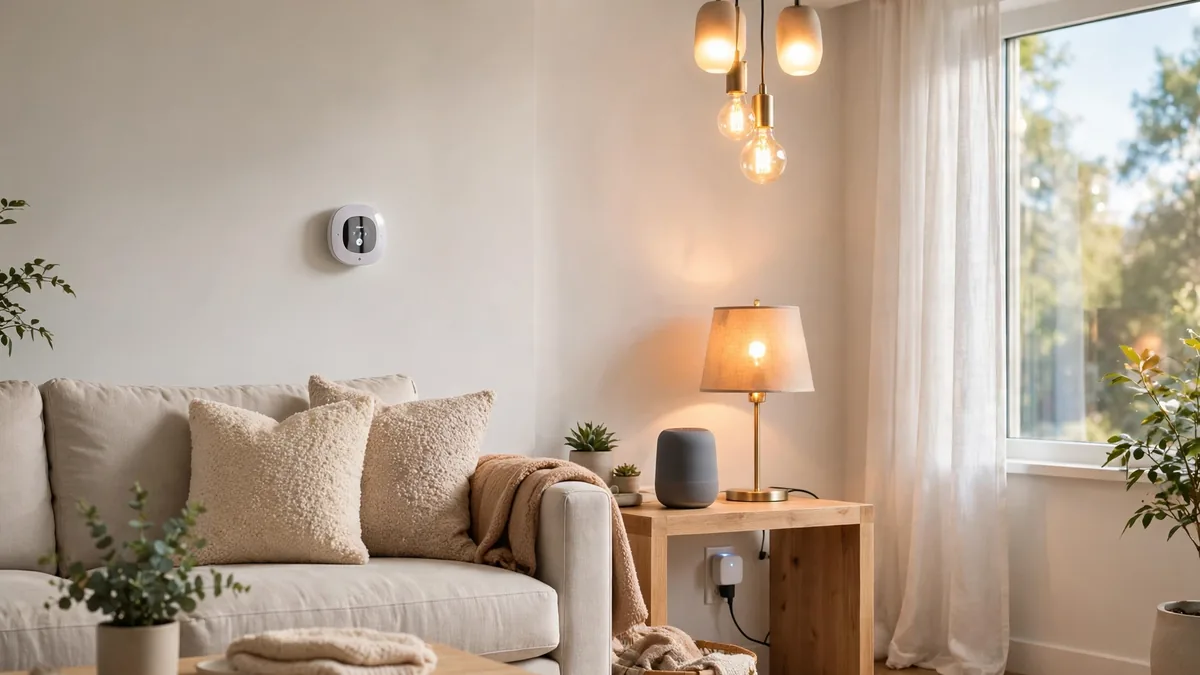
Building a smart home for beginners feels exciting and confusing together. However, you do not need a house full of gadgets. This guide starts small and keeps every decision simple. In addition, it helps you pick one ecosystem first.
Most people waste money by buying random devices too quickly. Therefore, this guide reverses that habit completely from the start. You will choose a platform and check compatibility first. Consequently, your first three devices should work together smoothly.
Shops push bundles and flashy features at new buyers daily. A calmer plan, meanwhile, saves money and avoids frustration later. Indeed, a small setup teaches you more than a huge one. Moreover, you can expand slowly once daily routines feel clear.
What Does a Smart Home for Beginners Actually Mean?
A smart home for beginners means a few connected devices only. For example, a speaker can control lights and plugs by voice. Your phone app, similarly, can switch those devices from anywhere. Moreover, simple routines can run them on a schedule automatically.
Connected devices talk through your home Wi-Fi or another standard. Each device, however, still needs its own app or platform link. Some devices also need a hub for full features. Hence, compatibility matters more than colour or clever marketing claims.
Forget the movie version with walls full of screens everywhere. Instead, picture a lamp that turns on at sunset. Picture also a plug that stops a fan overnight. Those small wins, in fact, define a useful smart home.
Reading about wider home technology helps you keep perspective too. For instance, Ubia Technologies smart solutions coverage shows how connected systems grow. Such reading, nevertheless, should inform choices rather than rush purchases. Your home, after all, needs fit more than novelty.
How to Start a Smart Home Without Buying Everything?
Learning how to start a smart home begins with one room. Firstly, pick the room you use every single evening. Your living room or bedroom usually suits that first test. Next, name one annoying daily task inside that room.
Maybe you forget lights or struggle with a hard switch. Alternatively, you might want a lamp ready before bedtime. That single problem, therefore, becomes your first buying guide. In contrast, a vague wish list leads to random spending.
Write your goal in one short and honest sentence. For example, write that you want hands-free evening lighting. Keep that note visible while you compare any device later. As a result, every purchase must earn its place clearly.
Budget thinking belongs at this early stage as well. Decide a small starter limit and protect that limit firmly. Besides, leave room for a return if something disappoints you. A patient start, consequently, beats an impressive but messy haul.
Smart Home Setup Guide Step by Step for Your First Weekend?
Following a smart home setup guide step by step prevents chaos. Step one, however, asks you to check your Wi-Fi first. Strong coverage in your chosen room matters more than speed. Weak signals, meanwhile, cause delays and random disconnections later.
Step two asks you to pick one ecosystem and commit. You will compare the main options in the next section. Once you choose, download only that main platform app. Additionally, create your account with a strong and unique password.
Step three covers buying just three starter devices in total. Later sections explain why plugs and bulbs work so well. Install one device completely before you open the next box. That slow rhythm, indeed, makes troubleshooting far easier for beginners.
Step four focuses on naming devices clearly inside the app. Use room plus device names like bedroom lamp or kitchen plug. Clear names, furthermore, make voice control work much more reliably. Vague names, in contrast, confuse everyone in the household quickly.
Step five ends with one simple routine and one test. For instance, schedule your lamp for sunset on weekdays only. Then test voice control, app control and the physical switch. Finally, write down what worked and what annoyed you.
Alexa vs Google Home vs HomeKit: Which Ecosystem Fits You?
Comparing alexa vs google home vs homekit decides your direction. An ecosystem is the platform that controls your devices together. Your phone, household habits and privacy comfort shape that choice. Therefore, no single platform wins for every home automatically.
| Ecosystem | Natural Fit | Key Strength | Watch Out For |
|---|---|---|---|
| Alexa | Homes wanting many device choices | Very wide device support | App can feel busy |
| Google Home | Android and Google service users | Helpful voice answers | Features vary by region |
| Apple HomeKit | iPhone and Apple device homes | Strong privacy focus | Smaller device range historically |
Alexa suits households that want broad choice above everything else. Many device makers support Alexa early and quite widely too. However, a crowded app can overwhelm a complete beginner quickly. Simplicity fans, therefore, should explore the app before buying devices.
Google Home suits people who already live inside Google services. Android users, similarly, often find setup familiar and fast overall. Voice answers also feel natural for questions and timers daily. Nevertheless, you should check feature availability in your country first.
Apple HomeKit suits homes built around iPhones and iPads already. Apple, moreover, places strong emphasis on privacy and local control. Device choice has grown, although choice still trails rivals sometimes. Households without Apple devices, in contrast, should look elsewhere first.
Use a simple decision tree when the comparison feels stuck. Firstly, match the platform to phones your household already owns. Secondly, check which voice style your family prefers at home. Thirdly, confirm your planned devices list that platform on packaging.
Tech news can also show you how platforms keep changing. For example, latest tech info from BeaconSoft tracks shifting product ecosystems well. Broader trend coverage, similarly, appears in what is trending in technology reporting online. Still, your household fit matters more than weekly headlines.
What Is Matter Smart Home Standard in Plain English?
Many beginners ask, what is matter smart home standard exactly? Matter is a shared connectivity standard for smart devices. Major platform companies support Matter to improve device compatibility together. As a result, a Matter device should work across ecosystems.
Think of Matter as a common language for smart devices. Previously, each platform often spoke a slightly different language. That mismatch, consequently, forced buyers into careful label checking always. Matter, in contrast, aims to reduce that confusion greatly.
Matter runs over familiar networks like Wi-Fi and Thread. Thread is a low-power mesh network for home devices. Your home may already contain a compatible border router device. Product packaging, however, remains the safest place to confirm support.
Do not treat Matter as magic that fixes everything instantly. Older devices without Matter support still follow older rules today. Furthermore, features can still differ between apps and platforms sometimes. Hence, you should still run a full compatibility check always.
Prefer Matter support when you buy new devices from now. That preference, moreover, protects flexibility if you switch phones later. Keep old working devices if they serve you well already. Upgrading everything for one logo, nevertheless, wastes money without benefit.
Zigbee vs Z-Wave vs Wi-Fi Smart Devices Explained Simply?
Understanding zigbee vs z-wave vs wi-fi smart devices prevents confusion. These names describe how devices connect inside your home network. Each option trades range, power use and simplicity quite differently. Accordingly, your home size and device count shape the answer.
| Connection | How It Works | Best Fit | Main Trade-Off |
|---|---|---|---|
| Wi-Fi | Connects straight to your router | Few devices, simple starts | Can crowd your network |
| Zigbee | Low-power mesh via a hub | Sensors and bulbs in groups | Needs hub support |
| Z-Wave | Low-power mesh via a hub | Reliable whole-home setups | Regional frequency differences |
Wi-Fi devices connect directly and need no extra hub equipment. Beginners, therefore, find Wi-Fi plugs and bulbs very approachable initially. However, dozens of Wi-Fi devices can strain a basic router. Battery devices, additionally, drain faster on Wi-Fi than mesh options.
Zigbee devices form a mesh where neighbours relay signals onward. Mains-powered Zigbee devices usually strengthen that mesh as repeaters too. Sensors, in contrast, sip power and run on small batteries. A hub or compatible speaker usually bridges Zigbee to apps.
Z-Wave follows a similar mesh idea with its own rules. Many users value Z-Wave for stable and dedicated home networks. Availability, meanwhile, varies by country because frequencies differ by region. You should therefore confirm regional support before ordering any device.
New buyers do not need to master every technical detail today. Instead, remember one rule for each new purchase you make. Check the connection type and confirm your platform supports it. That habit, in fact, prevents most dead-end purchases for beginners.
Smart Hub Do I Need One for a Small Setup?
The common question, smart hub do i need one, has nuance. A hub is a small box that bridges device types. Some speakers and routers already include hub features inside them. Consequently, many small setups need no separate hub at all.
Start without a separate hub if your three devices use Wi-Fi. Wi-Fi and Matter devices often connect through apps directly anyway. Simpler setups, moreover, give beginners fewer things to troubleshoot daily. You can always add a hub when a need appears.
Consider a hub once you add many Zigbee or Z-Wave devices. A hub, furthermore, can run automations locally inside the home. Local control sometimes keeps routines running during internet outages too. Larger homes, similarly, benefit from that central and organised control.
Check hub duties before you assume a speaker covers everything. A product page should list supported standards in plain terms. Reviews, for instance, often reveal gaps between marketing and reality. Reading honest SPS Technologies reviews shows why verified detail matters.
Integration thinking reaches beyond homes into workplaces and cities too. For example, Rew Technology data integration coverage explains connected systems at scale. Your home, however, needs a far simpler version of integration. Small, clear and reliable beats grand, complex and fragile here.
Best First Smart Home Devices: Start With Just Three?
Choosing the best first smart home devices means choosing restraint. Three devices teach you the platform without overwhelming your budget. A smart plug, a smart bulb and a speaker work well. Alternatively, swap the speaker for a second plug or bulb.
Why Do Smart Plugs and Smart Bulbs Beginner Setups Work?
People love smart plugs and smart bulbs beginner setups for simplicity. A smart plug turns a normal lamp or fan smart. You plug it in, connect the app and name it. Setup, therefore, takes minutes rather than an electrician visit ever.
Smart bulbs add dimming and schedules without changing your wiring. Renters, in particular, value bulbs because installation stays fully reversible. However, a wall switch can cut power to smart bulbs. Household habits, consequently, matter as much as the bulb itself.
Place your first bulb where your household gathers each evening. Put your first plug on a lamp or fan nearby. Then control both from one app and one voice command. That paired test, indeed, shows the real value of automation.
What Smart Thermostat Benefits Should Beginners Know?
Learning smart thermostat benefits helps you plan a later upgrade wisely. A smart thermostat adjusts heating or cooling on a schedule. Some models also learn patterns or respond to your phone location. Comfort, as a result, becomes steadier throughout the day.
Scheduling can reduce wasted heating when nobody stays at home. Remote control, moreover, helps when travel plans change without warning. Energy reports also show patterns that manual dials hide completely. Those insights, in fact, often change habits more than hardware.
Do not rush a thermostat into your first three devices though. Thermostat wiring and system compatibility vary widely between different homes. Renters, furthermore, may need landlord permission before any installation work. Always check heating system compatibility with qualified guidance before buying.
Other categories can wait until your starter setup feels boring. Video doorbells, locks and cameras raise bigger privacy questions early. Sensors and blinds also add cost and complexity quite fast. Master basics first, and later upgrades will feel far easier.
Smart Home Automation Ideas Routines That Help Every Day?
Good smart home automation ideas routines solve real daily friction points. A routine links a trigger to one or more actions. Triggers, for example, include time, sunset, voice or sensor activity. Actions then switch lights, plugs or scenes on automatically.
Start with a gentle morning routine inside your bedroom only. Lights can brighten slowly while a plug starts a fan. A speaker, meanwhile, can read your calendar or weather briefly. Keep the routine short, or mornings will feel oddly robotic.
Evening routines often deliver the clearest wins for new users. At sunset, living room lights can switch on automatically daily. At bedtime, one command can switch everything off together safely. Guests, however, still need obvious manual control for basic comfort.
Away routines add peace of mind during trips and holidays abroad. Lights can follow varied schedules rather than one fixed pattern. Plugs, similarly, can pause thirsty appliances while you travel away. Test every away routine before you actually leave home though.
Connected apps beyond the home show the same automation logic clearly. For instance, a carpool logistics app guide turns solo trips into planned routines. Messaging apps also automate alerts, as AGWhatsApp latest version coverage shows in detail. Your home routines, likewise, should save effort without creating confusion.
Smart Home on a Budget: How Can You Spend Slowly?
Building a smart home on a budget is absolutely possible today. Small starts protect you from expensive and incompatible buying mistakes. Buy one category, live with it, and then judge honestly. That rhythm, therefore, turns spending into learning rather than gambling.
Follow a three-device path for your very first month only. Month one covers a plug, a bulb and voice control. Month two, in contrast, should add nothing unless something hurts. A pause, indeed, reveals which upgrades you actually want next.
- Buy during sales only for devices already on your list.
- Prefer Matter support so devices survive a platform change.
- Skip duplicate apps and subscriptions during your first season.
- Keep packaging until every routine passes a full week.
- Choose standard bulbs and plugs before decorative niche gadgets.
Relative value matters far more than chasing the lowest price tag. A cheap device that needs replacing teaches an expensive lesson. Reliable basics, moreover, usually serve beginners better than novelty gadgets. Hence, judge cost across years of use, not checkout day.
Free improvements often beat new purchases for a struggling setup entirely. Moving a router or renaming devices can fix daily annoyances quickly. Updating apps and firmware, similarly, solves many small glitches overnight. Try those steps first, and spend only on real gaps.
Smart Home Security and Privacy Tips for Every Beginner?
Following smart home security and privacy tips protects your whole household. Every connected device adds convenience and a new entry point. Strong basics, however, keep that trade-off sensible and well controlled. Start with accounts, passwords and updates before fancy settings anywhere.
- Use a unique password and two-step verification everywhere possible.
- Update device firmware and apps whenever updates appear promptly.
- Place cameras thoughtfully and respect private spaces at home.
- Review voice history and app permissions every few months.
- Create a separate guest network if your router allows.
- Remove devices and accounts you no longer use actively.
Microphones and cameras deserve extra thought inside bedrooms and bathrooms. Many households keep always-listening devices in shared rooms only instead. Mute buttons, furthermore, give guests and family members clear control. Open conversations, in fact, prevent privacy tools from feeling secretive.
Read privacy settings during setup rather than skipping every screen quickly. Defaults often favour data sharing more than many people expect. You can usually limit history retention and personalised advertising too. Those five minutes, consequently, protect you for years of use.
Physical security still matters alongside digital security in any home. Keep your router firmware updated and change its admin password. Name your network neutrally without your address or family name. Simple steps, nevertheless, close the easiest doors to strangers online.
Smart Home Compatibility Check Before You Buy Anything?
Running a smart home compatibility check takes five careful minutes only. Those minutes, however, prevent returns, frustration and wasted money later. Work through each item below before you pay for anything. A device that fails one item deserves a pause, always.
| Check | What to Confirm | Where to Look |
|---|---|---|
| Ecosystem | Works with your chosen platform | Box and product page |
| Connection | Wi-Fi, Matter, Zigbee or Z-Wave fit | Specifications section |
| Hub need | Separate hub required or included | Setup requirements list |
| Region | Plug, voltage and frequency match | Regional product page |
| App | App supports your phone system | App store listing |
| Returns | Clear return window for testing | Retailer policy page |
Photograph your light fittings and plugs before you shop anywhere. Bulb bases and plug shapes differ across countries and homes. Measurements, similarly, stop oversized devices from blocking neighbouring sockets nearby. Practical checks, therefore, beat hopeful guessing at the checkout stage.
Search for your exact router plus device type before ordering online. Some devices prefer the common lower Wi-Fi band during setup. Router settings, moreover, can block unfamiliar devices without clear warnings. A quick search now saves a long support chat later.
Household agreement belongs on the checklist beside technical checks too. Ask who will use voice control and app control daily. Consider guests, children and anyone who dislikes phone-based controls carefully. The best setup, after all, respects every person at home.
What Beginner Mistakes Waste the Most Money?
Mixing ecosystems randomly creates the most common and costly beginner mistake. Three apps for three devices feels messy within one week. Voice control, however, becomes unreliable when platforms overlap without planning. Pick one home base, and add bridges only with reason.
Buying for a future house rather than your current rooms hurts. Features you might use someday rarely justify spending money today. Current routines, in contrast, reveal exactly where automation helps you. Let daily life lead, and let catalogues follow far behind.
Ignoring the humble wall switch causes endless smart bulb frustration daily. Someone switches power off, and your smart bulb goes offline instantly. Smart switches or simple habits can solve that recurring household problem. Discuss the plan early, because technology alone cannot fix habits.
Chasing every new standard headline creates another expensive spending trap. Matter matters, although working devices still deserve respect and time. Replace something only when it fails or blocks your routines. Restraint, finally, is the real superpower of a smart homeowner.
Your Calm Path Forward From Here?
Your path forward now fits on one small and clear list. Firstly, choose one room and one daily problem to solve. Secondly, pick Alexa, Google Home or Apple HomeKit and commit. Thirdly, buy three basic devices and test them properly first.
Live with that starter setup for two full weeks minimum. Next, add one routine and judge it during real weekdays. Only then should you consider sensors, thermostats or cameras seriously. Slow growth, consequently, builds confidence and protects your budget well.
A good smart home for beginners feels almost invisible each day. Lights simply work, plugs follow schedules and controls stay obvious. Technology fades into the background while comfort moves forward quietly. That quiet reliability, in the end, is the real goal.