
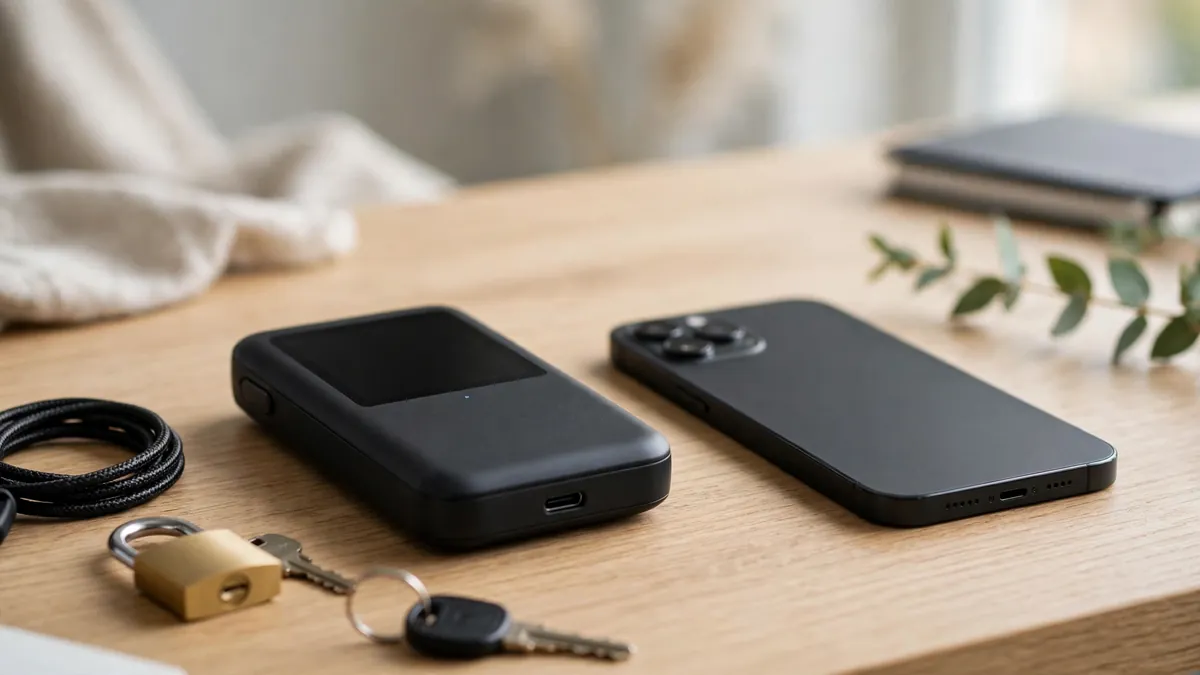
Hot Wallet vs Cold Wallet: Where Crypto Keys Live and Which Storage Fits Which Job
Choosing between storage options feels confusing at first. However, the hot wallet vs cold wallet choice becomes simple once you see where the keys live. Your coins stay on the blockchain itself, always. Instead, your wallet holds the private keys that prove ownership and approve spending.
Consequently, storage is really a question about key exposure. A key kept on an internet-connected device faces different risks than a key kept offline. Therefore, this guide compares both approaches as a safety lesson, not as investment advice. Nothing here recommends buying, selling, or holding any asset.
Additionally, you will learn how each wallet works in daily life. For example, you will see how signing happens, how recovery works, and where beginners slip up. Ultimately, most careful holders end up using both wallets for different jobs.
What is a hot wallet?
Firstly, let us answer the basic question directly. What is a hot wallet in plain language? Basically, it is any wallet whose private keys live on a device connected to the internet. Phones, laptops, browser extensions, and exchange apps all count here.
Because the device stays online, signing a transaction feels fast and effortless. You open the app, check the details, and confirm within seconds. Similarly, receiving funds is easy because your address is always ready to share. Convenience, therefore, is the main reason people start with a hot wallet.
Nevertheless, that constant connection creates a wider attack surface. Malware on the device could interfere with what you see or approve. Likewise, a fake app or a poisoned download could steal keys silently. Security, in short, depends heavily on the health of your phone or computer.
What is a cold wallet hardware wallet setup really means?
Secondly, consider the offline side of the comparison. What is a cold wallet hardware wallet owners describe so often? Simply put, it is a small dedicated device that stores private keys away from the internet. The keys are generated on the device and, ideally, never leave it.
Unlike a phone app, the hardware device has one narrow job. It stores keys and signs transactions in isolation. Meanwhile, your computer only prepares an unsigned request and passes it across. As a result, even a compromised computer cannot quietly extract the keys themselves.
Admittedly, cold storage feels slower for everyday use. You must find the device, connect it, and confirm details on its own screen. Still, that friction is deliberate and protective. For larger or longer-term holdings, many holders happily accept the extra steps.
Hot wallet vs cold wallet at a glance?
Before the deeper sections, a side-by-side view helps enormously. The table below compares the two approaches across the factors that matter most. Afterwards, each row gets a fuller explanation in the sections that follow.
| Factor | Hot Wallet | Cold Wallet |
|---|---|---|
| Where keys live | On an internet-connected phone, computer, or browser | Inside a dedicated offline hardware device |
| Speed of use | Fast, with signing in seconds | Slower, with physical confirmation steps |
| Main risks | Malware, fake apps, and phishing approvals | Lost device, poor seed backup, and supply or setup errors |
| Best job | Small amounts and frequent, everyday activity | Larger amounts and infrequent, planned moves |
| Recovery | Seed phrase restores access on a new device | Seed phrase restores access on a new device |
| Cost pattern | Often free software | Usually a one-time device purchase |
Notice, however, that neither column wins on every row. Each design trades convenience against isolation in a different balance. Hence, the smarter question is which job each wallet should do. Job fit, rather than brand loyalty, should drive your setup.
Private keys and seed phrase explained in plain words?
Understanding keys removes most of the mystery here. With private keys and seed phrase explained simply, the whole topic clicks. A private key is a secret code that authorises spending from an address. Anyone holding that key can move the funds, without asking permission.
Remembering a long random key would be impractical, though. Therefore, wallets generate a seed phrase, a short list of ordinary words in a set order. That phrase can rebuild all of your keys on a fresh device. In effect, the phrase is the master backup for the entire wallet.
Guarding the phrase matters more than guarding any device. For instance, a photo of the phrase on a synced phone quietly destroys the offline benefit. Similarly, typing the phrase into random websites is a classic trap. Legitimate hardware setup never requires sharing the phrase with anyone online.
Why does the seed phrase deserve such careful handling?
Quite simply, possession of the phrase equals control of the funds. No company can freeze, reverse, or reset that control for you. Consequently, a copied phrase means a copied wallet, whether you notice or not. Theft may even stay hidden until the thief chooses to act.
Offline storage on paper or metal is the usual educational advice. Additionally, many holders keep the backup in a separate physical location from the device. Redundancy helps against fire, flood, and simple misplacement. Yet every extra copy also adds exposure, so balance matters greatly.
How hardware wallets sign transactions offline?
Many beginners wonder how signing can happen without an internet connection. Learning how hardware wallets sign transactions offline answers that puzzle neatly. Firstly, your computer or phone builds an unsigned transaction request. That request contains the destination, the amount, and the network details.
Secondly, the request travels to the hardware device for review. You then read the destination and amount on the device screen itself. Crucially, that small screen is trusted because malware cannot easily rewrite it. Only after your physical confirmation does the device sign internally.
Finally, the signed result returns to the computer for broadcasting. The private key itself never crosses over during this exchange. As a result, the online machine handles transport while the offline device handles trust. Separation of duties, in essence, is the whole security model.
Is cold storage safer than hot wallet use in real life?
People often ask a direct safety question here. Is cold storage safer than hot wallet use for most holders? Generally, yes, because offline keys cannot be reached by remote malware. Isolation removes an entire category of online attack in one move.
However, safer does not mean invulnerable in every situation. Phishing approvals can still drain funds connected to a cold wallet. For example, signing a malicious approval can grant a scammer permission to move specific assets. The device signed faithfully, yet the human approved the wrong thing.
Therefore, reading every confirmation screen remains essential, even offline. Blind signing, where details stay hidden or unclear, deserves special caution. Likewise, rushing through approvals on unfamiliar sites creates avoidable danger. Cold storage, ultimately, protects keys rather than judgement.
Readers who want broader context can explore how professional structures handle risk in this guide to how crypto hedge funds organise strategies, structures, and risk controls. Institutional custody differs from personal storage, of course. Still, the underlying lesson about separating access matches closely.
Custodial vs non custodial wallet choices explained?
Another distinction shapes the whole storage picture. The custodial vs non custodial wallet difference decides who actually holds the keys. With a custodial service, a company holds the keys on your behalf. With a non-custodial wallet, you hold the keys and the responsibility yourself.
Convenience explains why custodial accounts feel familiar to newcomers. Password resets and support desks soften the learning curve considerably. Conversely, self-custody removes the middleman but also removes the safety net. Losing your seed phrase then becomes your problem alone.
Neither model is automatically right for every person. Instead, think about skills, habits, and willingness to manage backups. Some holders start custodially while learning the basics carefully. Afterwards, they move gradually toward self-custody as confidence grows.
What is the exchange wallet vs self custody difference?
Beginners frequently confuse an exchange balance with a personal wallet. The exchange wallet vs self custody difference is simpler than it sounds. On an exchange, the platform controls the keys behind your account balance. In self-custody, your own wallet controls the keys directly.
Practically, an exchange account behaves like a login-based service. You rely on the platform’s security, policies, and continued operation. Meanwhile, a personal wallet behaves like cash in your own safe. Access depends on your keys and your backups, not on a login page.
Understanding how cryptocurrency correlation and diversification work can also sharpen storage thinking. Holdings spread across assets still need a clear custody plan each. Diversification, after all, does not fix a weak key backup.
Paper wallet explained risks and modern limits?
Older guides still mention paper as a cold option. Under paper wallet explained risks, the idea sounds attractively simple. A key or seed phrase gets printed or written on paper, then stored offline. No electronics means no remote hacking of that sheet itself.
Reality, unfortunately, introduces several practical weaknesses. Paper fades, tears, burns, and absorbs water surprisingly easily. Furthermore, printing securely is tricky because printers and computers may retain copies. Even photographing the sheet for convenience quietly puts it back online.
Spending from paper creates another awkward moment. Importing the key into an online wallet exposes it at that point. Partial spending can also confuse change addresses for inexperienced users. Modern hardware wallets, by contrast, handle these steps far more safely.
Phishing and fake wallet apps risks you must recognise?
Most real-world losses begin with deception rather than code-breaking. The phishing and fake wallet apps risks deserve close attention, therefore. Scammers copy wallet websites, support accounts, and app listings with convincing polish. Their goal is usually your seed phrase or a harmful approval.
Warning signs repeat across many of these traps. For instance, urgent messages claim your wallet needs immediate verification or migration. Similarly, fake support agents ask for the seed phrase to solve a problem. Genuine wallet support, importantly, never needs that phrase from you.
Downloading apps only from official links reduces exposure significantly. Additionally, bookmarking the correct site helps you avoid lookalike search results. Checking the full address on the device screen adds another layer. Slow verification, in practice, defeats most urgency-based tricks.
Even niche tokens carry the same storage lessons. This explainer on weed cryptocurrency, banking gaps, and real project risks shows how unusual sectors attract hype. Hype, however, often pushes newcomers toward rushed downloads and careless clicks. Careful storage habits protect you regardless of the asset involved.
How much crypto to keep in hot wallet rule of thumb thinking?
No universal number suits every household or habit. Still, the how much crypto to keep in hot wallet rule of thumb question has a useful framing. Treat the hot wallet like the cash in a physical wallet. Keep only what you need for near-term, everyday activity there.
Losing a physical wallet hurts, yet life continues afterwards. Apply that same emotional test to your hot wallet balance. If losing the amount would cause serious distress, it probably belongs in colder storage. Conversely, tiny experimental amounts fit the convenience layer comfortably.
Rebalancing occasionally keeps the split aligned with your habits. For example, a growing hot balance can be swept into cold storage periodically. Meanwhile, a planned purchase can be funded shortly before it happens. Deliberate movement, rather than permanent exposure, defines the pattern.
The both-wallets workflow that fits real life?
Practical holders rarely choose only one side forever. Instead, they combine both wallets in a simple weekly rhythm. Firstly, long-term holdings rest in the hardware wallet, untouched for long stretches. Day-to-day activity, meanwhile, runs through the phone or browser wallet.
Secondly, transfers between the two happen in planned sessions. You prepare the transfer, verify addresses carefully, and confirm on the device screen. A small test transfer first is a widely taught caution for new addresses. Afterwards, the larger transfer follows the exact same verified path.
Thirdly, records of each move get saved for future reference. Clear notes help with personal organisation and later paperwork. This overview of cryptocurrency taxes and working with a crypto tax accountant explains why tidy records matter. Good records, in short, are part of good custody.
Finally, learning stays on the schedule alongside storage. Listening to well-regarded cryptocurrency podcasts for ongoing education can surface new scams and safer habits. Education compounds quietly, much like careful routines do. Both protect you long before any single tool does.
What happens if you lose a hardware wallet recovery steps?
Losing the device feels frightening, yet recovery is built into the design. Ask what happens if you lose a hardware wallet recovery planning answers calmly. Your funds live on the blockchain, not inside the physical device. The device is a key holder, and the seed phrase can rebuild it.
Firstly, obtain a replacement device from a trusted, official source. Secondly, choose the restore option during setup rather than creating a new wallet. Then enter your seed phrase directly on the device itself. Never type that phrase into a random website or computer form.
Afterwards, verify that the expected accounts and balances appear correctly. PIN protection on the lost device buys you time during this process. Nevertheless, treat the situation seriously and complete the restore promptly. Moving funds to a fresh seed is another cautious option afterwards.
Why do two factor authentication exchange accounts still matter?
Self-custody skills do not replace basic account hygiene elsewhere. Protecting two factor authentication exchange accounts remains essential for any platform login you keep. An authenticator app generally offers stronger protection than text-message codes alone. Unique passwords for each service add another necessary layer.
Additionally, withdrawal address allowlists can limit damage from a compromised login. Email accounts deserve the same treatment because password resets flow through them. In fact, your email may be the quiet master key to many services. Secure it, therefore, with the same seriousness as a wallet.
Crypto wallet security best practices educational checklist?
Habits, more than gadgets, decide long-term safety outcomes. This crypto wallet security best practices educational checklist gathers the core habits together. Firstly, buy hardware devices only through official channels you verify independently. Sealed packaging alone, importantly, proves very little about safety.
Secondly, write the seed phrase offline and store it somewhere protected. Never store the phrase in cloud notes, screenshots, or email drafts. Thirdly, test recovery with a tiny amount before trusting the setup fully. A backup you have never tested is only a hope.
Additionally, keep device firmware and wallet software updated from official sources. Updates often close security gaps discovered after release. Meanwhile, use a separate, clean device for large transfers if possible. Less clutter generally means fewer surprises during sensitive moments.
Finally, tell a trusted person where your recovery plan lives. They do not need the phrase itself during your lifetime. Rather, they need enough guidance to start the process if circumstances change. Written instructions stored securely can bridge that gap thoughtfully.
Some holders also discuss their overall approach with a professional. This guide on finding a financial advisor who understands cryptocurrency outlines useful questions to ask. Advice about planning differs from instructions to buy specific assets. Keep that boundary clear in any such conversation.
Common crypto storage mistakes beginners should avoid?
Certain errors appear again and again among newcomers. Reviewing common crypto storage mistakes beginners make can save real grief. Firstly, many people screenshot the seed phrase during setup for convenience. That single photo can sync quietly to cloud storage within minutes.
Secondly, beginners often keep everything in one hot wallet. Convenience then becomes a single point of failure for everything. Thirdly, some buy second-hand hardware devices at a discount. A pre-configured device or included seed card should end the purchase immediately.
Rushing approvals is another frequent and costly habit. Scam sites manufacture countdowns and alarming warnings to force speed. Conversely, legitimate transfers rarely punish you for pausing to verify. Reading addresses character by character feels tedious, yet it works.
Finally, neglecting recovery planning leaves families locked out later. Devices break, PINs fade, and memories prove unreliable over years. A tested backup and clear instructions solve that problem in advance. Preparation, ultimately, is the quiet difference between stress and a scare.
Frequently asked questions?
Can a cold wallet still be drained by a scam?
Yes, unfortunately, a cold wallet can still approve a harmful transaction. The device protects keys, yet it signs what you confirm on screen. Therefore, a deceptive approval can move permitted assets despite offline storage. Careful reading remains your final and strongest defence.
Do you need both a hot wallet and a cold wallet?
Not everyone needs both from the very first day. Beginners learning with very small amounts may start with one simple wallet. However, growing holdings usually justify adding offline storage over time. The split, in practice, follows value and frequency of use.
What should you do first after buying a hardware wallet?
Firstly, verify the seller and follow the official setup guide exactly. Secondly, generate a fresh seed phrase on the device itself. Any device arriving with a pre-written phrase deserves immediate rejection. Afterwards, test the backup before moving meaningful funds across.
Is an exchange account enough for long-term storage?
That depends on your skills, habits, and trust in the platform. An exchange holds the keys, so your access depends on its systems and policies. Self-custody gives direct control, along with direct responsibility for backups. Understanding that trade-off matters more than any slogan.
Which storage fits which job in the end?
Hot wallets shine for speed, learning, and small everyday amounts. Cold wallets shine for isolation, patience, and larger long-term holdings. Therefore, the hot wallet vs cold wallet debate resolves into job allocation. Each tool succeeds when matched to the task it suits.
Your keys, ultimately, deserve the same care as the assets they control. Offline backups, verified screens, and unhurried approvals form a strong foundation together. Additionally, revisiting your setup as habits change keeps it fit for purpose. Safe storage is a practice, not a purchase.
Educational note: this article explains storage concepts for learning only and is not financial advice. Cryptocurrency involves risk, and personal circumstances differ widely. Consider qualified professional guidance for decisions about your own money.
Explore more practical guides on WordGlowUp.